
Features
Everything in one powerful app
Built from the ground up for speed, security, and compliance — whether you're a solo traveller or a 5,000-person enterprise.
Everything you need
Built for how teams actually work
From solo freelancers to growing companies — every tool you need to manage expenses, enforce policy, and pay your people back faster.
AI Receipt Scanning
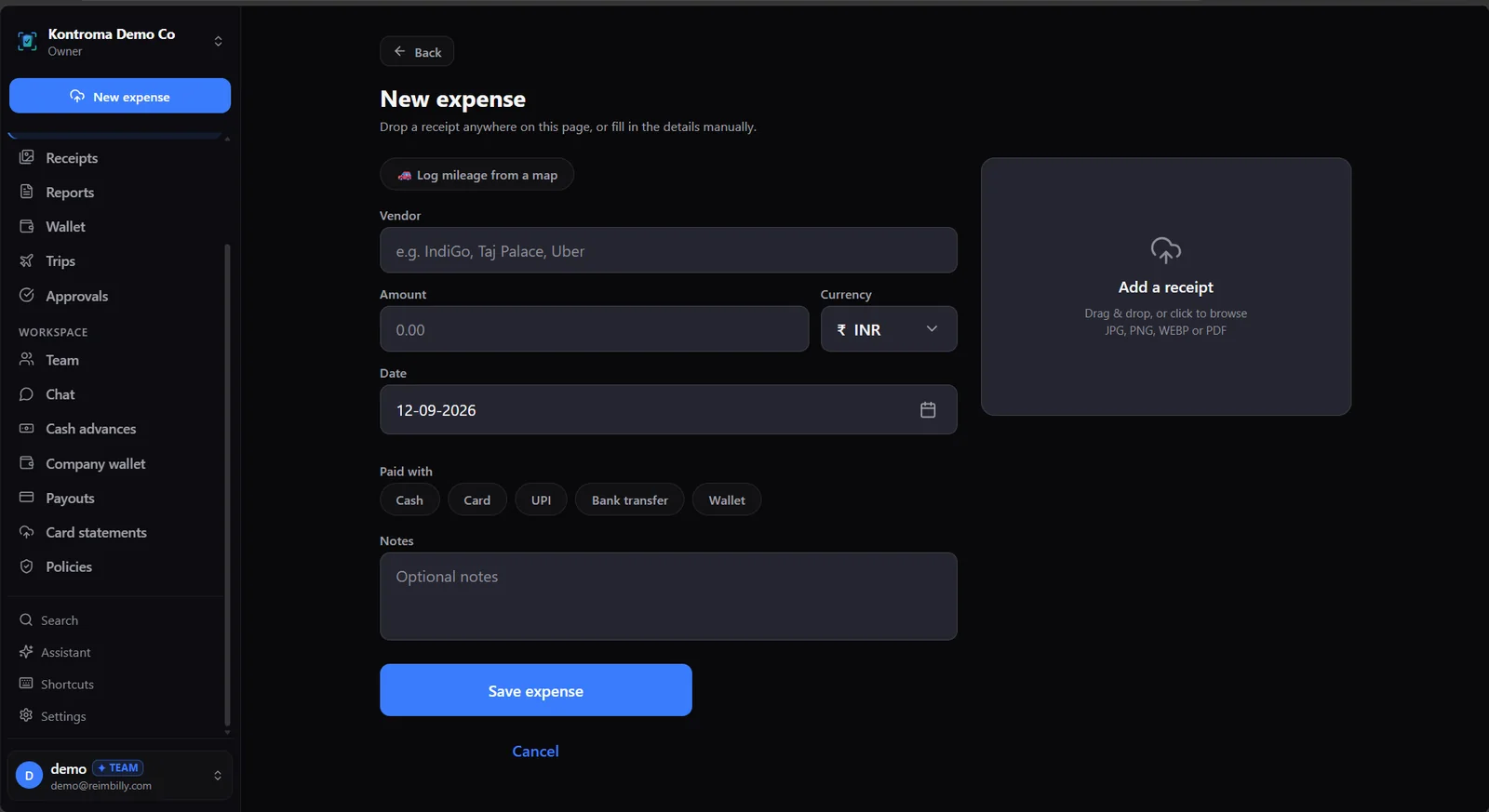
Snap a photo, our OCR engine extracts vendor, amount, date, category and tax details automatically — no manual entry required.
Smart Expense Reports
Drag receipts into reports, add notes, and submit to your manager in seconds. Track status from draft to reimbursed in real time.
Approval Workflows
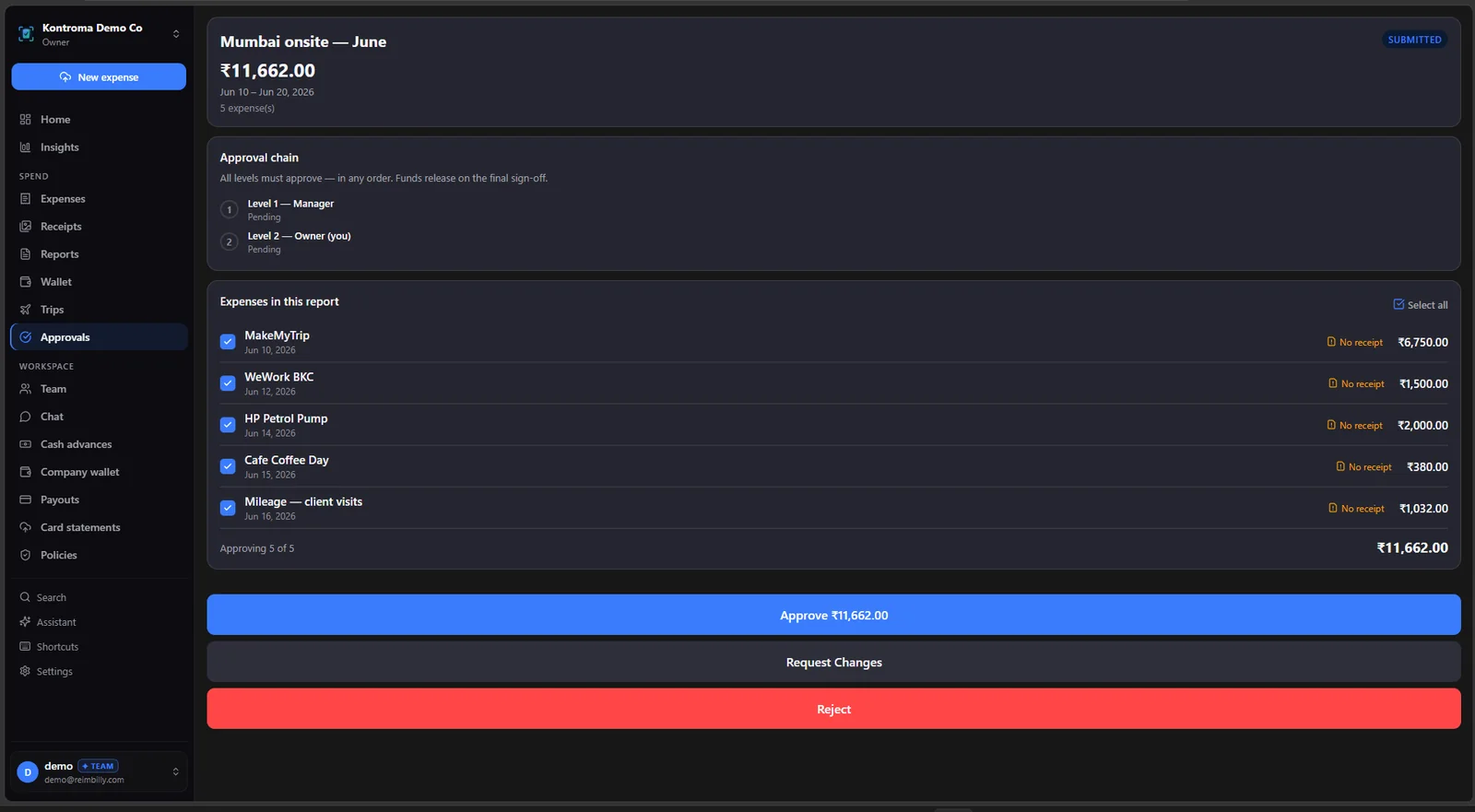
Multi-level approvals, policy enforcement, and compliance checks — managers approve, reject or request changes with one tap.
Team Workspaces
Invite your team, assign roles (Owner, Admin, Manager, Employee), create departments, and enforce spending policies org-wide.
E2E Encrypted Chat
Private NaCl-encrypted messaging between managers and employees. Attach expense reports, receipts and files securely.
Spending Analytics
Real-time dashboards for spend by category, team, and time period. Catch anomalies and control costs before month-end.
Cash Advances
Employees request travel advances, managers approve and track settlement. Full ledger trail inside the app.
Bank-Level Security
End-to-end encryption, DPDP Act 2023 compliance, SOC 2 Type II audited hosting infrastructure, and zero-trust RLS at every data layer.
Simple by design
From receipt to refund in three steps
No training required. No 80-page manual. Just open the app, snap, and submit.
Capture
Scan receipts with your camera or forward email receipts. OCR extracts every field automatically.
Organise
Group expenses into reports by trip, project, or period. Apply categories, tags, and mileage.
Submit & Get Paid
Submit to your manager in one tap. Track approval status live and get reimbursed directly.
AI-powered receipt scanning
Point your camera at any receipt — paper, digital, or crumpled. Our OCR engine, built on industry-leading vision models, extracts vendor, date, amount, line items, GST/VAT breakdown, and payment method in under 3 seconds. Edge cases like handwritten receipts, foreign currencies, and fuel station receipts are all handled.
- Supports 40+ currencies and automatic conversion
- Reads GST numbers and tax breakdowns
- Works offline — syncs when reconnected
- Forward email receipts directly to your inbox
Approval workflows that don't get in the way
Set up multi-level approval chains with a few taps. Define which expense categories or amounts require manager sign-off. Managers get instant push + email notifications. They can approve, reject, or request corrections with comments — from mobile or desktop.
- Configurable thresholds by category or amount
- Manager delegation when out of office
- Rejection with mandatory comment trail
- Audit-ready log of every action
End-to-end encrypted team chat
Every message between a manager and employee is encrypted on-device using NaCl (libsodium) box encryption before it ever leaves your phone. Reimbilly servers only store ciphertext — not even our team can read your messages. Attach expense reports, receipts, and files directly in chat.
- NaCl box encryption on direct messages
- Reaction emojis, threaded replies, read receipts
- Attach reports, receipts, files up to 50 MB
- Direct messages are end-to-end encrypted; channels are not
Build or buy
Screens are quick to generate.
The system of record isn't.
AI coding tools can draft an expense app's screens remarkably fast. The real work is underneath: the rules that decide when money moves, the record that proves what happened, and keeping both correct after launch.
Approvals that gate the payout
Single, sequential or all-must-approve chains. A payout is only created after the final sign-off, and rejected line items are left out of it.
Locked once submitted
A submitted report's expenses can't be edited until it comes back rejected — so no one approves a number that changes afterwards.
Policy flags, raised early
Per-expense and daily limits, missing receipts and likely duplicates are flagged while the expense is being entered. Policy flags are shown to the approver too.
An audit trail nobody has to write
Every change to an expense, report or approval lands in an append-only log with its before-and-after values.
Accounting that refuses to guess
Approved reports push into Xero as draft bills. A category with no mapped ledger account stops the sync and is named — nothing is booked to a guessed account.
Data rights and fixes, maintained
DPDP export and erasure requests are built in, and security fixes ship server-side to every workspace — there's no copy of the code for you to patch.
If your process is unusual enough that no product fits, building can still be the right call — just budget for running it, not only for writing it. Read the full answer
Your finance stack
Works with the people and rails you already have
Built for accountants, not to replace them
Reimbilly does the collecting and chasing. The review, the judgement and the sign-off stay with your CA, CMA or finance team — they just start from cleaner, reviewable data.
- CSV & PDF report exports, with saved column layoutsAvailable
- Approved reports into Xero as draft bills, for finance to authoriseAvailable
- Append-only audit log of every expense, report and approval changeAvailable
- QuickBooks Online syncAwaiting Intuit approval
- TallyPrime vouchers posted from the desktop appDesktop app coming soon
Reimbilly does not file returns, decide what is claimable, or sign off books. Accounting sync and the in-app audit log are on Team and Enterprise — see pricing.
Alongside Razorpay, not instead of it
Razorpay moves money. Reimbilly works out which money should move — the receipt, the policy check, the approval chain and the record — before anything is paid.
- Company wallet top-ups through Razorpay CheckoutIn progress
- Reimbursement payouts through RazorpayXPlanned
Wallet top-ups are built and tested in Razorpay's test mode and are not yet taking live payments. Reimbilly subscriptions are billed separately, through Paddle. See the roadmap.
Free to start. No card required.
Stop chasing receipts.
Start getting paid back.
Save hours every month on expense management. Open the web app and start scanning receipts — free, forever.
iOS · Android · Windows · macOS · Linux · Web